How Arcade Cabinets Work: PCBs, JAMMA and Conversion Kits Explained
What is inside an arcade cabinet, how the 1985 JAMMA wiring standard made game boards swappable, and what collectors should know before buying.
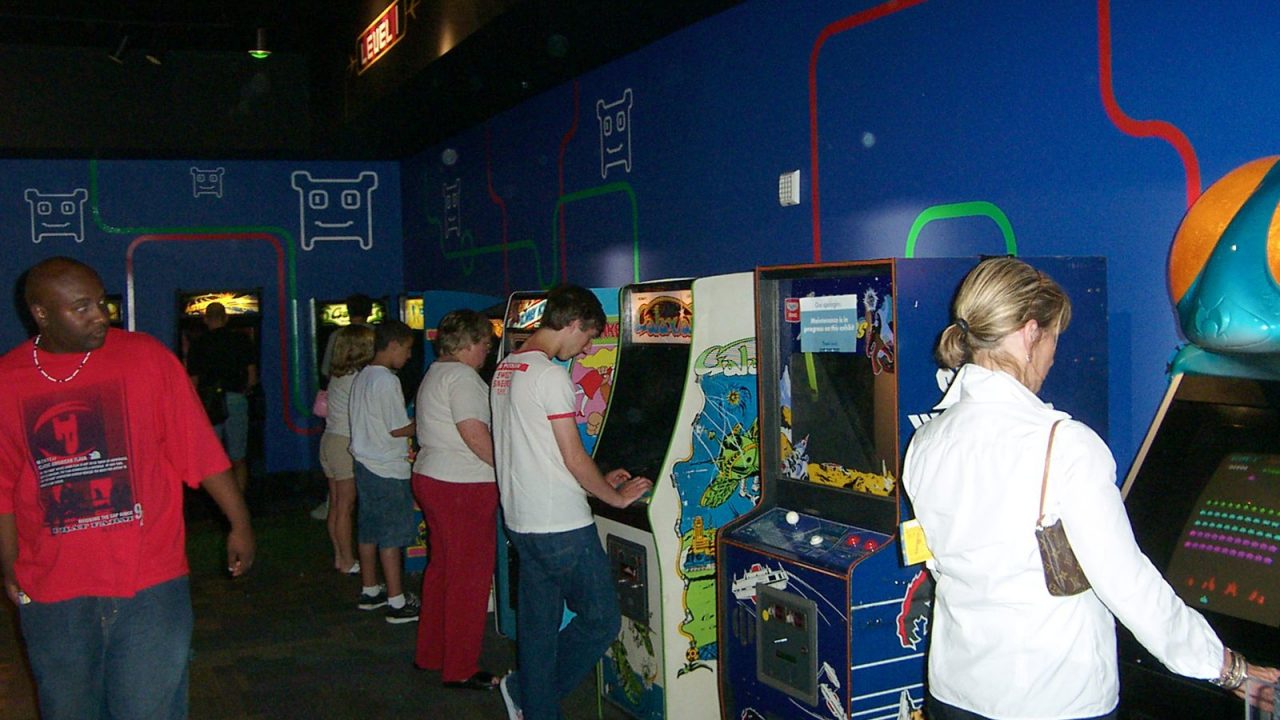
An arcade cabinet looks like a single machine, but it is really a collection of separate parts in a wooden box: a display, a circuit board that runs the game, a power supply, controls, speakers and a coin mechanism. Understanding how those parts fit together explains a lot about arcade history, including why so many cabinets ended up running a different game from the one painted on the side, and why the same cabinet could stay on location for years while the games inside it changed.
This guide covers the anatomy of a cabinet, the JAMMA wiring standard introduced in Japan in 1985, conversion kits, the main cabinet styles, and the practical questions collectors face. It deliberately stops short of repair instructions for monitors, which are a job for trained technicians.
The Anatomy of an Arcade Cabinet
Most classic cabinets share the same basic building blocks, whatever game they run.
The game board (PCB)
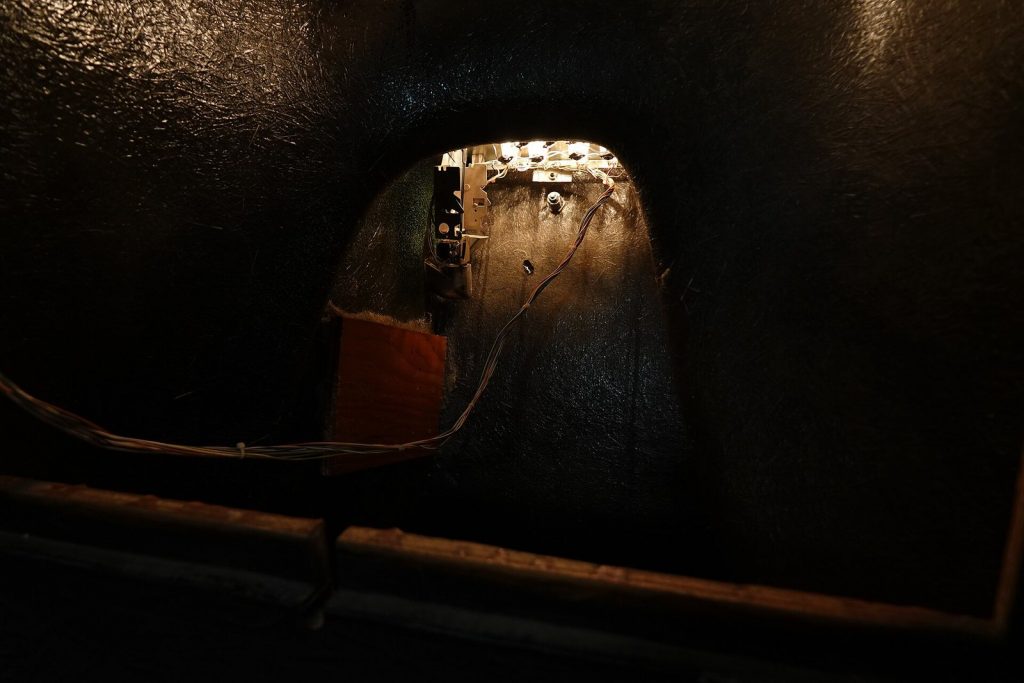
The heart of the machine is the printed circuit board, usually called the PCB or game board. It holds the processor, memory, graphics and sound hardware, and the chips containing the game program itself. In the early years, many boards were designed for a single game. Later, manufacturers built reusable “system boards” where the hardware stayed the same and the game was supplied on a cartridge or a swappable set of chips. SNK’s Neo Geo MVS, covered in our Neo Geo article, is a famous example, and Capcom’s CPS-1 hardware hosted Street Fighter II and many other titles.
The monitor
Classic cabinets used cathode-ray tube (CRT) monitors. Most were raster monitors, which draw the picture line by line across the screen like a television. A smaller group of games, such as several early Atari titles, used vector monitors, which draw lines directly between points and produce the sharp, glowing outlines associated with games like Asteroids. Raster monitors are generally easier to service because their circuitry resembles that of ordinary CRT televisions and computer monitors; vector monitors are much harder to repair and replacement parts are scarce.
Monitors were mounted either horizontally or vertically, depending on the game. Vertically oriented games such as Pac-Man or Galaga make use of a tall playfield, while side-scrolling games and fighting games use the wider horizontal layout.
Power supply
The power supply converts mains electricity into the low-voltage direct current that the game board needs, and also powers lighting for buttons and coin slots. In JAMMA-standard machines, the board expects 5 volts for the logic and 12 volts for sound amplification. Aging power supplies are a common source of problems in old cabinets, because a board that receives the wrong voltage can behave erratically or be damaged.
Controls and control panel
The control panel is the flat or angled surface holding joysticks, buttons, trackballs, spinners or steering wheels. Joysticks in arcades traditionally use simple microswitches, which click as the stick moves.
Coin mechanism and service controls
Coin slots, coin returns and a locked coin box sit below the control panel. Behind the coin door, operators find the service controls: a test switch and settings that let them adjust things such as credits per coin and the number of lives, and run diagnostics. These settings were how an operator tuned a machine’s difficulty and earnings for a given location.
Artwork: marquee, bezel and side art
The backlit sign above the screen is the marquee. The frame around the monitor is the bezel, which often carries instructions or artwork. Side art and control-panel overlays complete the look. For collectors, original artwork is a large part of a cabinet’s appeal and value.
Before JAMMA: Every Game Wired Its Own Way
During the boom years described in our history of the golden age of arcades, each manufacturer and often each game used its own wiring. The connector on the board, the position of each wire for power, video, sound and controls, and the number of buttons all varied. Putting a new game into an old cabinet meant rewiring the harness, the bundle of wires connecting the board to everything else, and that was slow, skilled work.
This mattered because arcade operators make money only while a game is earning. A cabinet whose game has lost its novelty takes up floor space without paying for itself. Operators wanted a cheaper way to refresh their machines than buying a whole new cabinet every time a new game came out.
What JAMMA Standardized
JAMMA is the Japanese trade association for the amusement-machine industry, formed in 1981 and now known as the Japan Amusement Machine and Marketing Association. In 1985 it introduced a wiring standard that became known simply as “JAMMA.” It defined a common edge connector and a fixed pin layout so that any compliant game board could plug into any compliant cabinet.
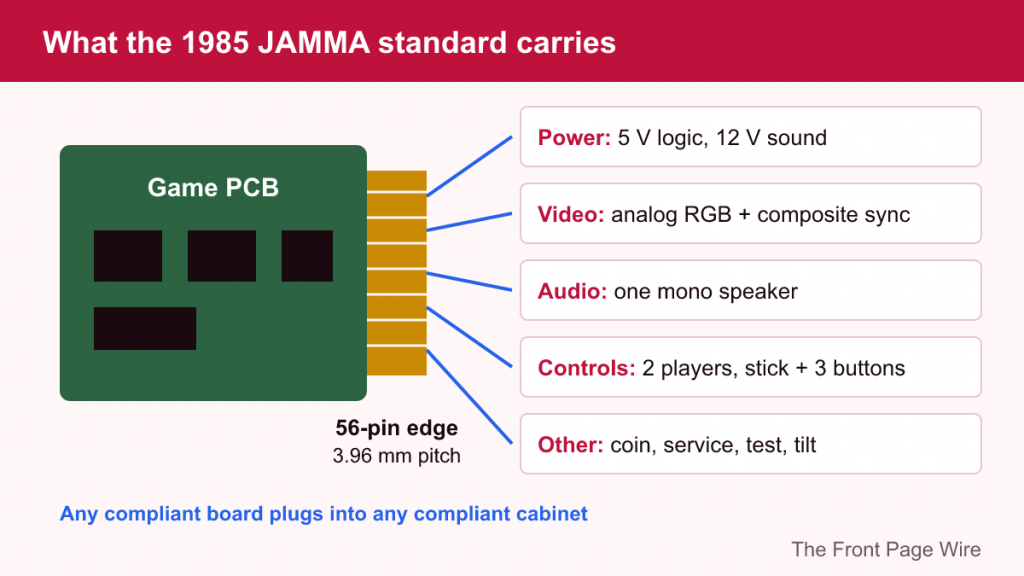
The standard specifies a 56-pin edge connector with 0.156-inch (3.96 mm) spacing. Through that connector it carries:
- Power: 5 V for the game logic and 12 V for sound.
- Video: analog RGB with composite sync, suited to arcade CRT monitors.
- Audio: a single (mono) speaker output.
- Controls: two players, each with a joystick, three action buttons and a start button.
- Other inputs: coin, service, test and tilt signals.
By the 1990s most new arcade games used the JAMMA layout, and it became a de facto international standard well beyond Japan.
The limits of the standard
Three buttons per player was enough for many games but not for all. When Street Fighter II arrived in 1991 with six attack buttons per player, it needed extra wiring beyond the standard connector for the additional buttons. Games that wanted more players, more buttons or stereo sound used extra connectors or otherwise unused pins, an approach collectors informally call “JAMMA+.” For more on Capcom’s fighter and why its six-button layout mattered, see our Street Fighter II history.
JAMMA later published a separate, newer standard called the JAMMA Video Standard (JVS), first issued in 1996, which connects controls through a dedicated input/output board using a serial connection rather than one wire per button. It was designed for the more complex machines of the late 1990s and 2000s.
Conversion Kits: Why Cabinets Changed Games
The main business effect of JAMMA was to separate the cabinet from the game. Once boards were interchangeable, a manufacturer could sell a new game as a kit rather than as a complete machine. In Japan, most arcade games came to be sold as conversion kits, typically containing the board, instructions for players and an operator’s manual. Racing and gun games were the main exceptions, because they relied on specialized deluxe cabinets.
For operators, a conversion kit cost far less than a new cabinet and could be installed quickly. A struggling game could be swapped out in minutes. Kits also came in another form: upgrades from one version of a game to the next. Updating Street Fighter II: Champion Edition to Street Fighter II Turbo, for example, was done with a kit rather than a new machine.
The side effect for collectors and historians is that many cabinets were converted several times. A cabinet with one game’s side art may contain an entirely different board, and original “dedicated” cabinets that still run their first game are often harder to find.
Cabinet Types
Arcade machines came in several physical forms, each suited to different locations:
| Type | Description | Typical setting |
|---|---|---|
| Upright | Standing cabinet roughly six feet tall with the monitor around eye level; the most common North American style. | Arcades, bars, stores |
| Cocktail (table) | Low table with the screen facing up under glass; in alternating two-player games the image flips for each player. | Bars, restaurants, lounges |
| Sit-down / “candy” cabinet | Players sit on a stool facing a large screen; Japanese “candy cabinets” are named for their resemblance to hard candy. | Japanese game centers |
| Mini / cabaret | Scaled-down version of an upright, often with wood-grain finish. | Smaller venues |
| Cockpit / deluxe | Enclosed or semi-enclosed seat with vehicle-style controls, sometimes motion platforms. | Large arcades |
| Countertop / bartop | Compact unit containing only the monitor and controls. | Bars and pubs |
Many Japanese sit-down cabinets were built to be universal, with monitors that could be rotated between horizontal and vertical orientation to suit whichever game was installed.
What Collectors Should Consider
Owning an arcade machine is rewarding, but it is a large, heavy piece of electronics. Before buying, it helps to think through a few questions.
Dedicated cabinet or JAMMA cabinet?
A dedicated cabinet with original artwork and its original board appeals to people who love one particular game. A JAMMA cabinet, by contrast, is a flexible platform: you can plug in different legally purchased original boards over time. Many collectors start with a generic JAMMA cabinet precisely because of that flexibility.
Check what is actually inside
Because of conversions, the artwork may not match the board. Ask what board is installed, whether it is original, whether the wiring harness has been modified, and whether the monitor is the original type for that cabinet.
Space, weight and transport
Upright cabinets are tall, deep and heavy, and CRT monitors account for much of that weight. Measure doorways and stairs, plan for at least two people to move a cabinet, and secure it properly in a vehicle. Moving a cabinet on its side can stress the monitor mounting, so ask an experienced seller or technician about the safest way to transport a specific model.
Age-related wear
Components age. Electrolytic capacitors on old boards and monitors dry out over time, and power supplies weaken. Replacing capacitors (“recapping”) is common maintenance, but it can be dangerous if done improperly and is best left to experienced hobbyists or professionals.
A Firm Safety Warning About CRT Monitors
The CRT monitor is the most dangerous part of any arcade cabinet. CRTs operate at very high voltages, and the tube and its surrounding circuitry can hold a dangerous electrical charge long after the cabinet is switched off and unplugged. The tube is also a large glass vacuum vessel that can implode if struck or mishandled.
- Do not open, adjust or repair the inside of a monitor chassis unless you are trained to do so.
- Leave monitor repair, tube replacement and discharging to qualified technicians.
- Keep children away from an open cabinet.
- Unplug the cabinet before swapping a game board or touching any wiring, even outside the monitor.
Plugging a JAMMA board into a working, correctly wired cabinet is a normal part of ownership. Working inside the monitor is not something to learn by trial and error.
Common Questions
Can any arcade board go in any cabinet? Only if both follow the same standard. JAMMA boards fit JAMMA cabinets; older dedicated boards and games that use extra connectors may need adapters or additional wiring.
Why do some cabinets have mismatched art? Almost always because the cabinet was converted to a new game with a kit, and the operator did not replace all the artwork.
Does JAMMA define the monitor? It defines the video signal sent to the monitor, not the monitor itself. Orientation and resolution still depend on the game, which is why vertical games need a vertically mounted screen to display correctly.